Folder Annotation Added, Open Downloads

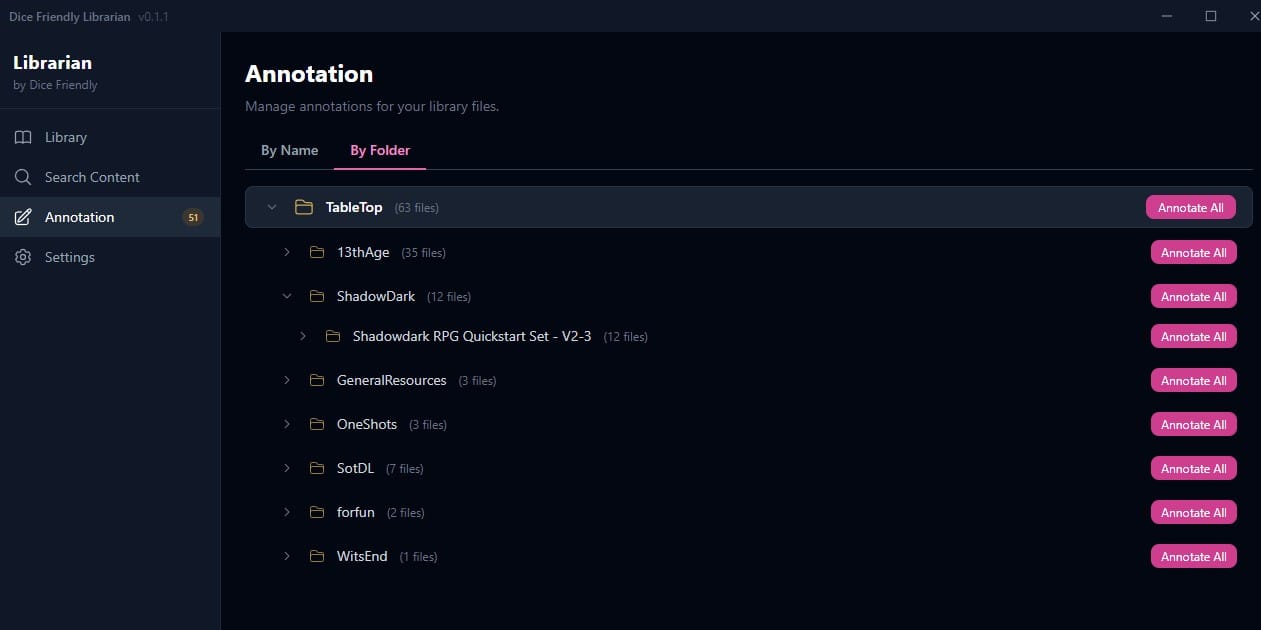
Two changes this month, a new feature and opening distribution. Folder Annotation is an extra way of annotating sources which lets your own folder management inform and speed up how you annotate files in Dice Friendly. Also, I'm calling the "alpha" phase finished (big thanks to alpha testers for your time) and you can now just go and download the latest build of Dice Friendly Librarian without talking to me or filling in forms. More details below. Download Dice Friendly Librarian here.
Folder Annotation
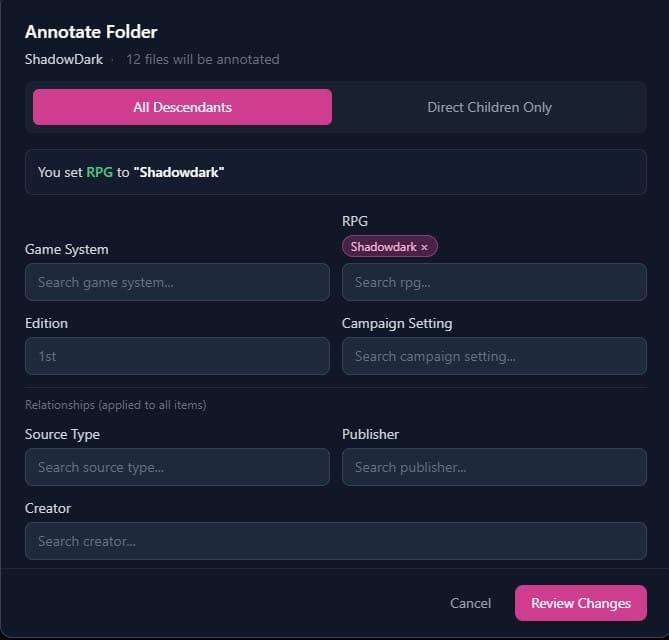
Sometimes your rpg folder will have a nice bit of structure, because you put the time in, you bought an orderly bundle or twelve, or a mix of both. This is something that can be used to make it easier to organise your folders, and I've been working on that, adding a "By Folder" flow to the Annotation screen.
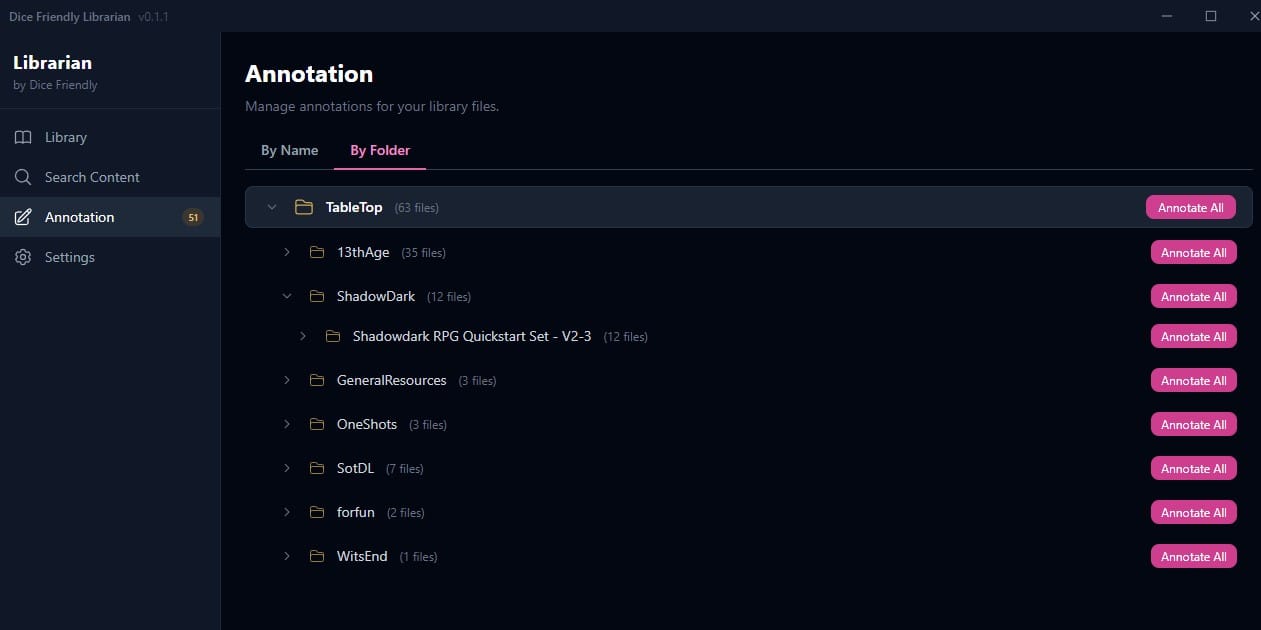
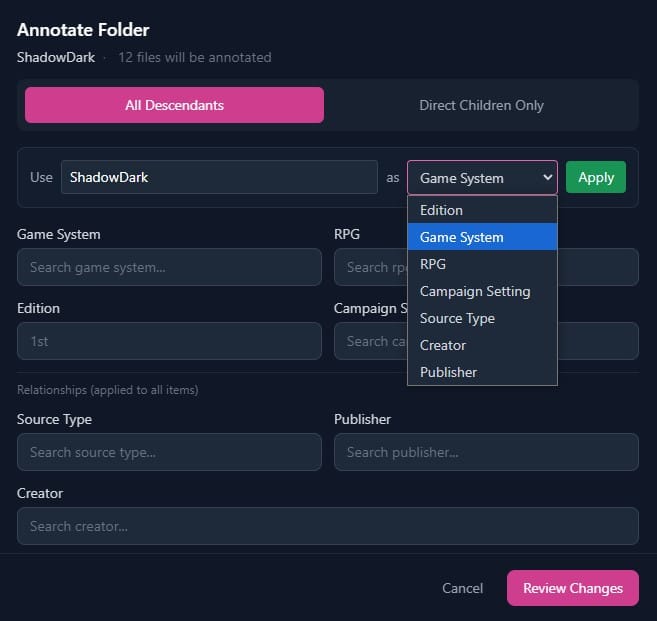
For example, I'm starting from scratch but I know everything in the Shadowdark folder is for Shadowdark. I go into folder view, and click "Annotate All" beside the folder, ShadowDark. The app asks if I want to use the folder name as something, and I have a chance to edit the text first. I change the casing to Shadowdark in the text field, select RPG from the dropdown and hit apply.
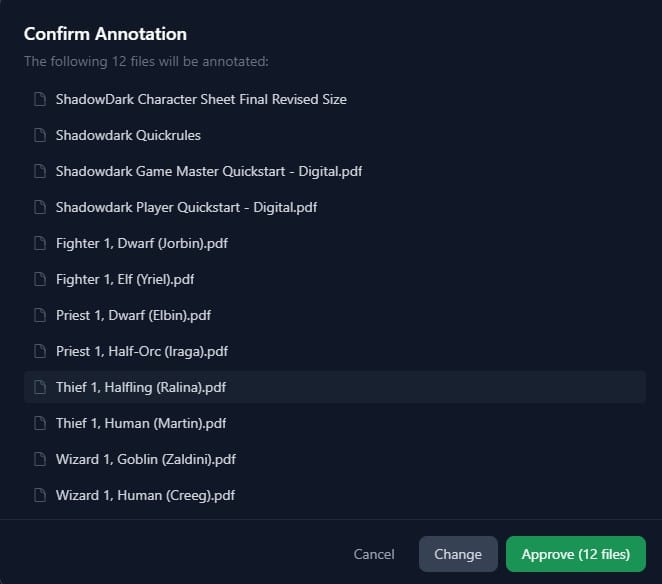
I click review changes to see what exactly will be affected, and being happy I click "Approve".
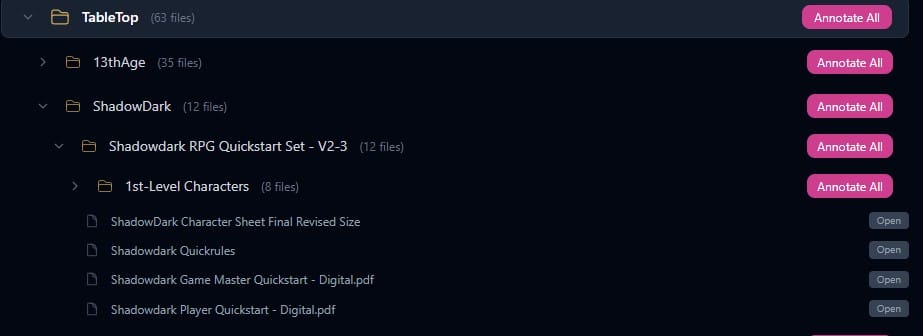
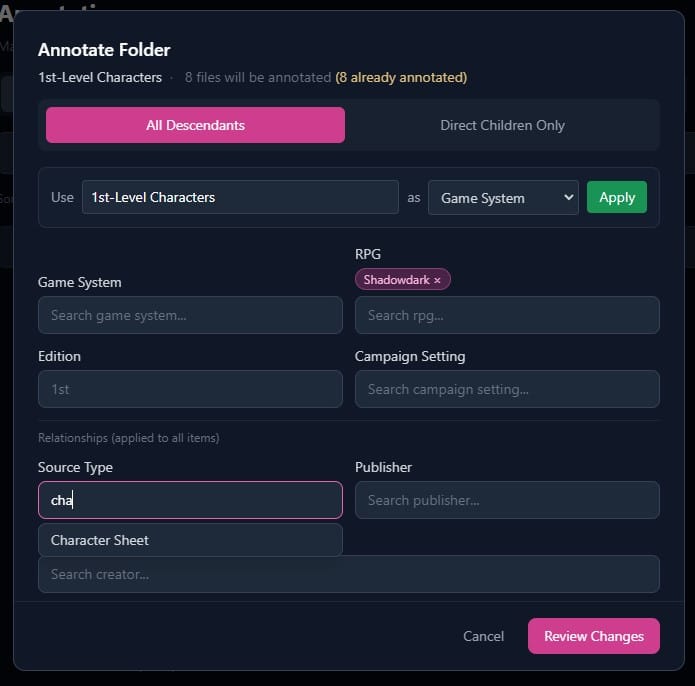
A folder inside this is full of character sheets, I click the matching Annotate All button.
The Shadowdark part is ok, I've two options for setting the source type.
As before I can go into source type and type in character sheet to add it, notice that it is suggested, as a property the system already has in local storage.

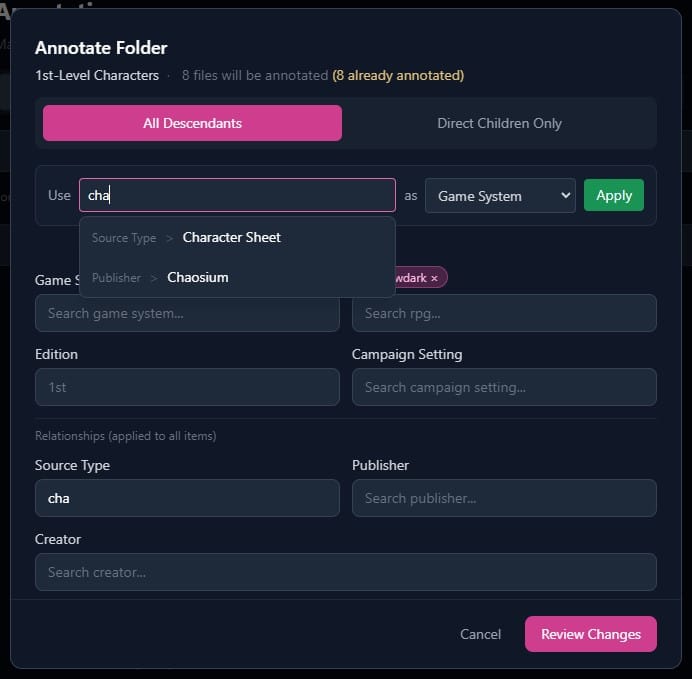
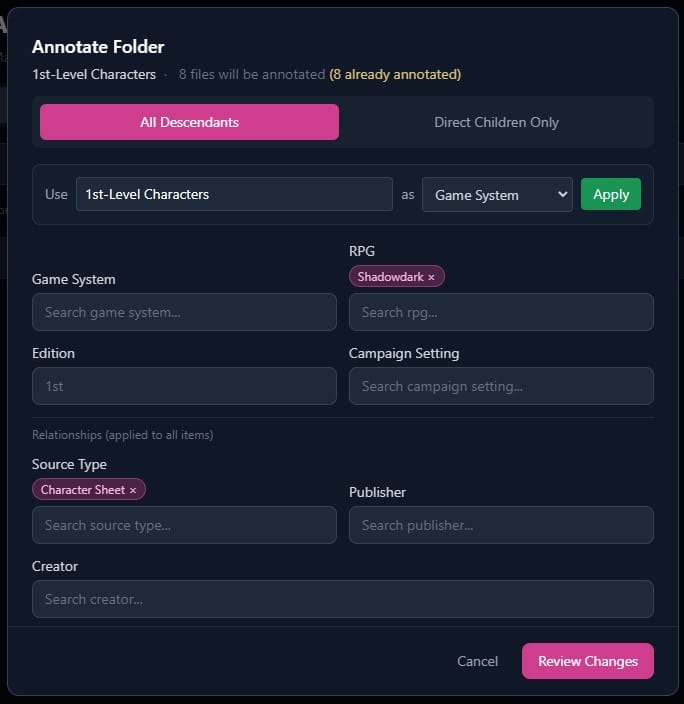
I can also start typing in the same text box as before, and see categorised suggestions. Click the one you want if you see it, and then click Apply to make the change.
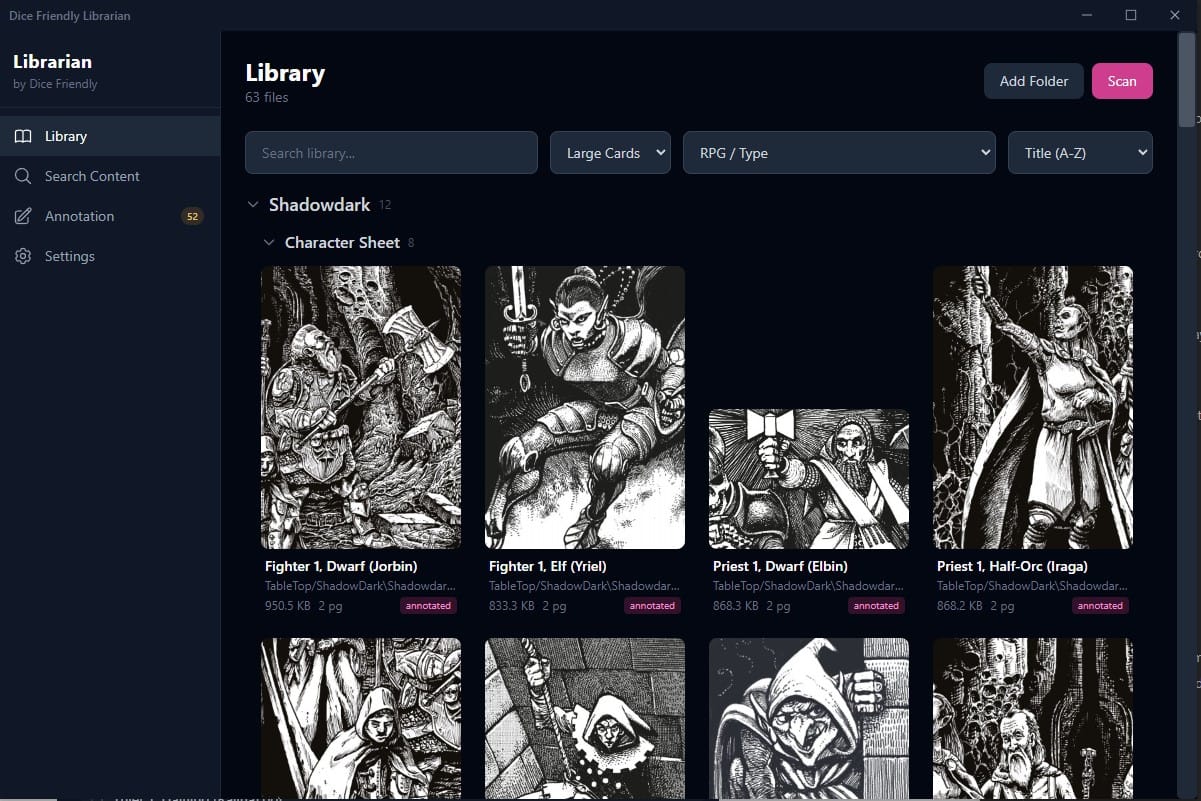
Now you can find these files in the library with two levels of categorisation, making them easier to find.
Alpha Finished, Downloads Open
There is no longer a need to sign up to "alpha" or otherwise share your identity in order to download the app. It is available to all, feel free to tell your friends. It is currently free, and this will remain the case for the foreseeable. There may be optional donations in future.
Download Dice Friendly Librarian here
I will make the Itch page prettier soon, I promise.